How to add Facebook to your website

ADD FACEBOOK TO YOUR WEBSITE

In order to add a Facebook to your website, follow these easy steps:

STEP 1:

In order to add Facebook to your website, click on the Social media button:
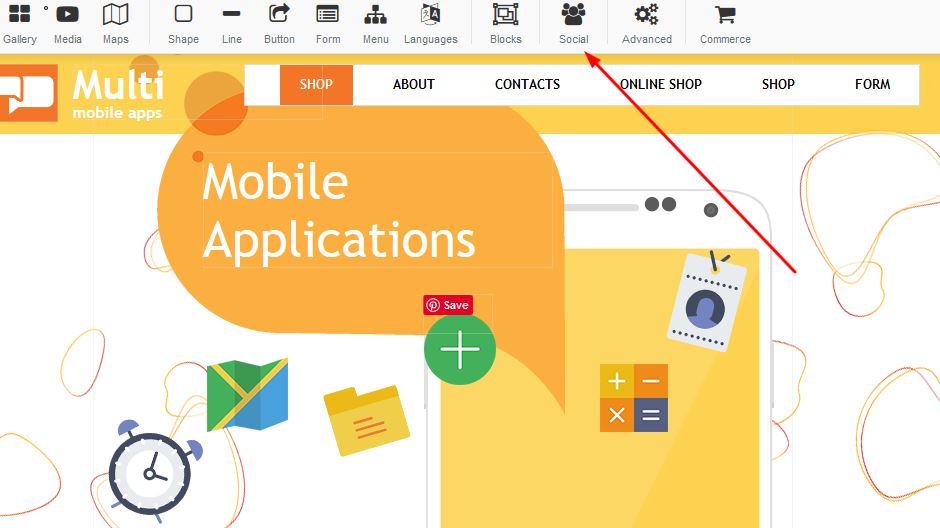

Adding Facebook to your website

STEP 2:

Select the Facebook fans button in order to add Facebook to your page:
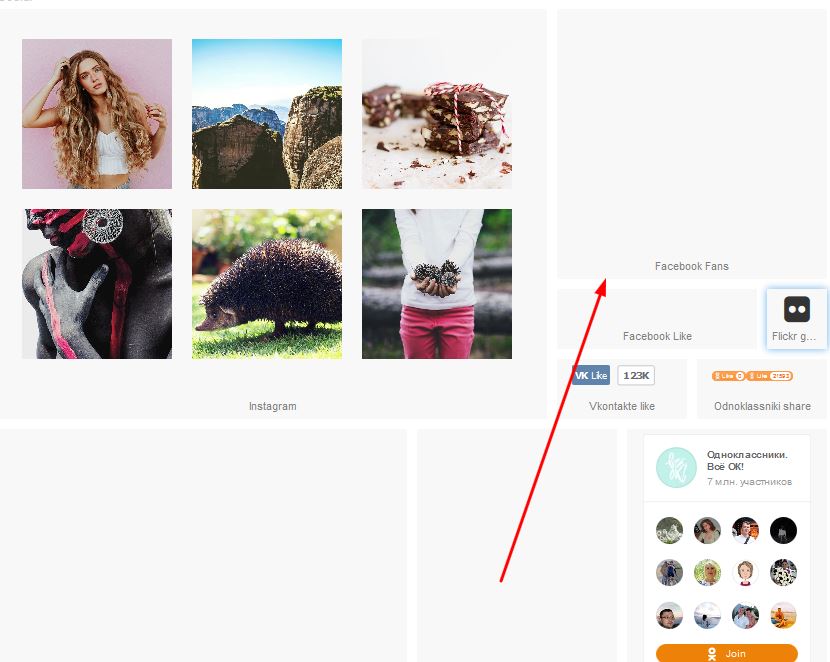
Adding Facebook to your website

STEP 3:

Once the Facebook icon is on your page, right click and select the properties option:
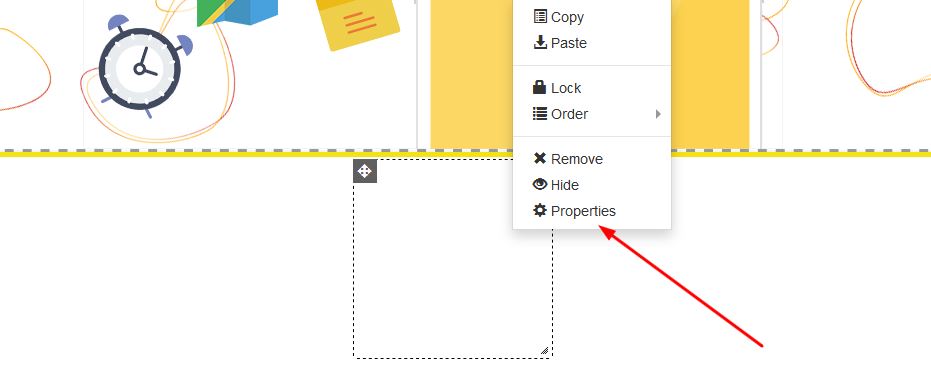

Adding Facebook to your website

STEP 4:

Once the properties box appears, under Page URL enter your facebook page and click on apply:
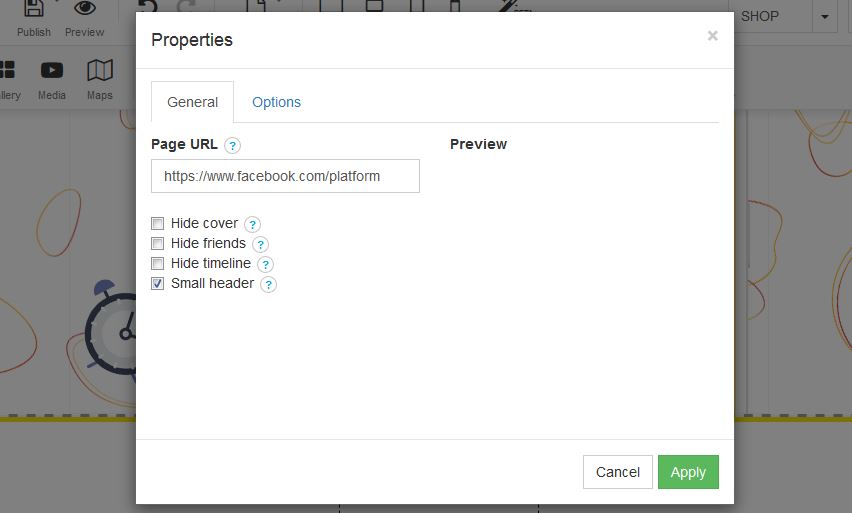

Adding Facebook to your website


  • 2 Users Found This Useful
Was this answer helpful?

Related Articles

How to add Olark to your website

ADD A WEBSITE BANNERMake your business human by using live chat software for sales, marketing and...

How to add a Shopping Cart to your website

ADD A SHOPPING CARTIn order to add a shopping cart to your website, follow these easy steps:STEP...

Create a New Page

Create a new website page1. Right click on the navigation menu and select "Edit Menu"   2....

How to cancel your account

How to cancel your account - BUT BEFORE YOU CANCEL - Let us try and assist you with any problems...

How to add Tawk.to to your website

ADD TAWK.TO TO YOUR WEBSITEIn order to add Tawk.to to your website, follow these easy steps:STEP...
