Adding Instagram to your website

ADD INSTAGRAM

In order to add Instagram to your website, follow these easy steps:

STEP 1:

Click on the Social Icon:
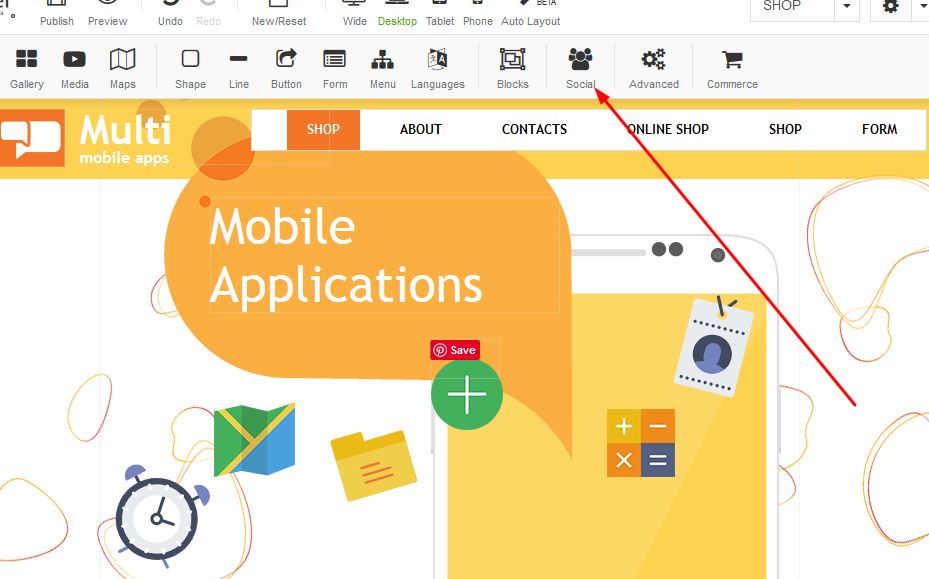

Adding Instagram to your website

STEP 2:

Once the box appears under Social, select the Instagram option:
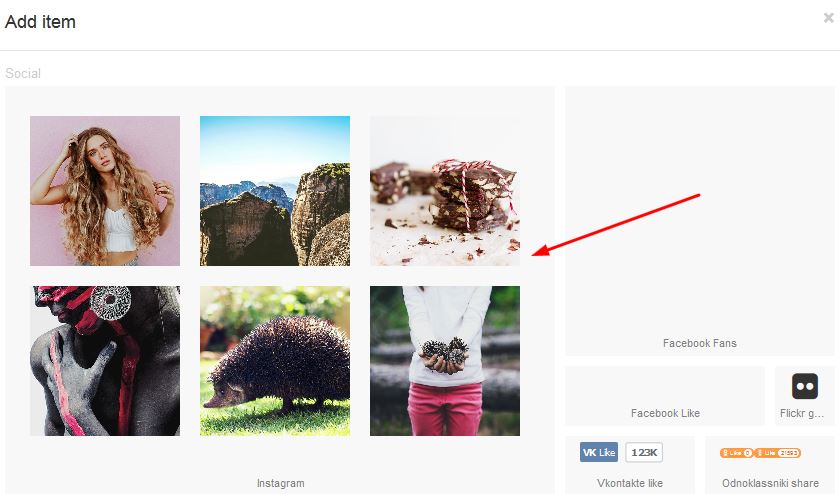
Adding Instagram to your website

STEP 3:

Right click on the Instagram box and righ click for properties:
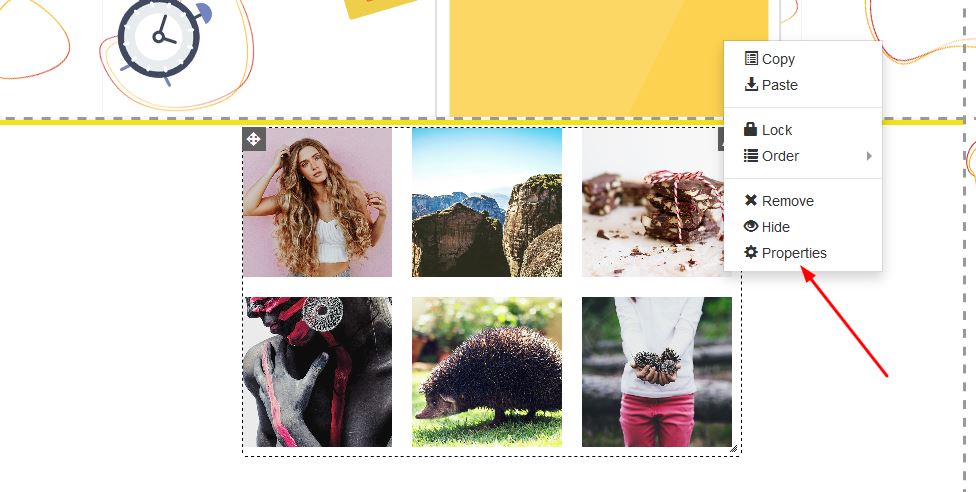

Adding Instagram to your website


STEP 4:

Under the properties box, click on the "Connect with Instagram" button in order to add your account:
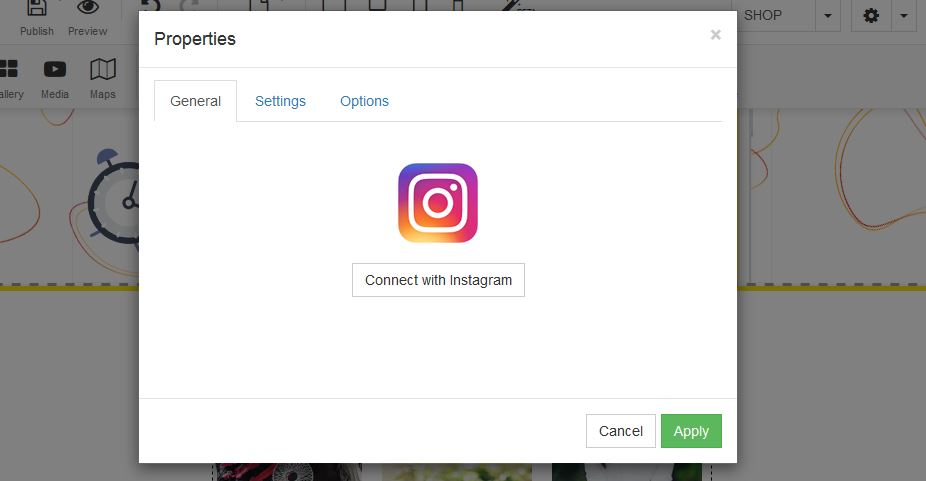
Adding Instagram to your website

STEP 1:

Under Settings, select the item quantities you wish to see - Image sizing and gallery padding:
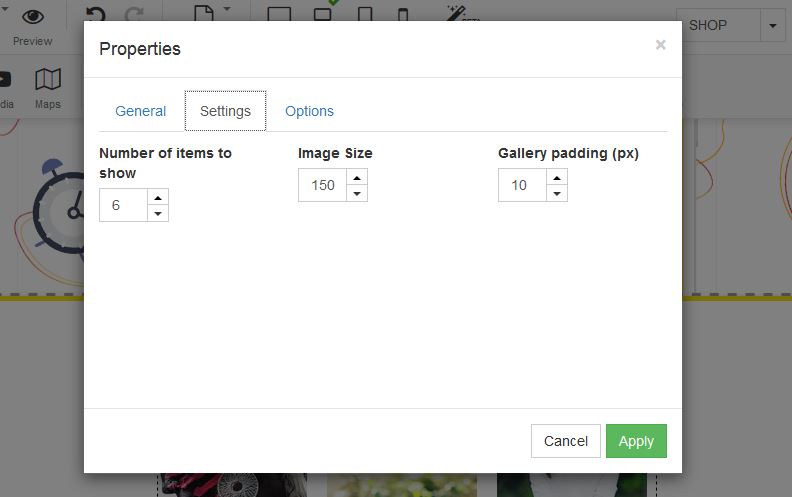
Adding Instagram to your website
  • 1 Users Found This Useful
Was this answer helpful?

Related Articles

How to add Social Media to your website

ADD SOCIAL MEDIA TO YOUR WEBSITEIn order to add a social media to your website, follow these easy...

How to add a youtube video

Adding Youtube: Drag the youtube link to your desired page on your builder.In order to add a...

How to add Adsense to your website

ADD ADSENSE TO YOUR WEBSITEGoogle AdSense is a program run by Google that allows publishers in...

How to add an image

Adding an image: In order to add an image to your website, you need to drag the image to your...

How to add Pinterest to your website

ADD PINTEREST TO YOUR WEBSITEIn order to add a Pinterest to your website, follow these easy...
