How to add HTML Code to my website

HOW TO ADD HTML CODE TO YOUR WEBSITE

In order to add your custom HTML Code to your website, follow the steps below:

STEP 1:

In order to add HTML code, click on "Advanced":


How to add HTML to your website

STEP 2:

Click on the button that says Custom HTML:
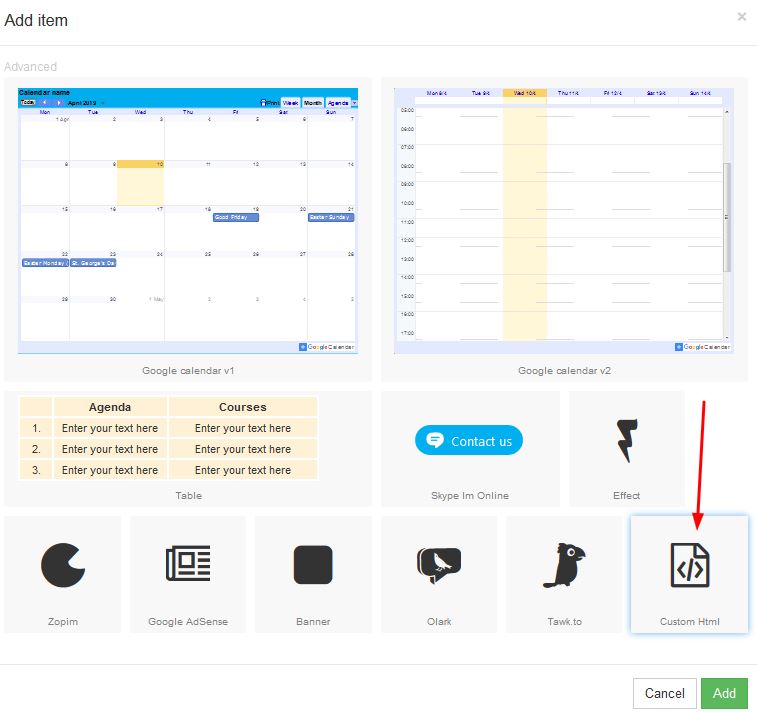
How to add HTML code to your website

STEP 3:

A box will appear on your page, which you are able to move to your desired place on the page:
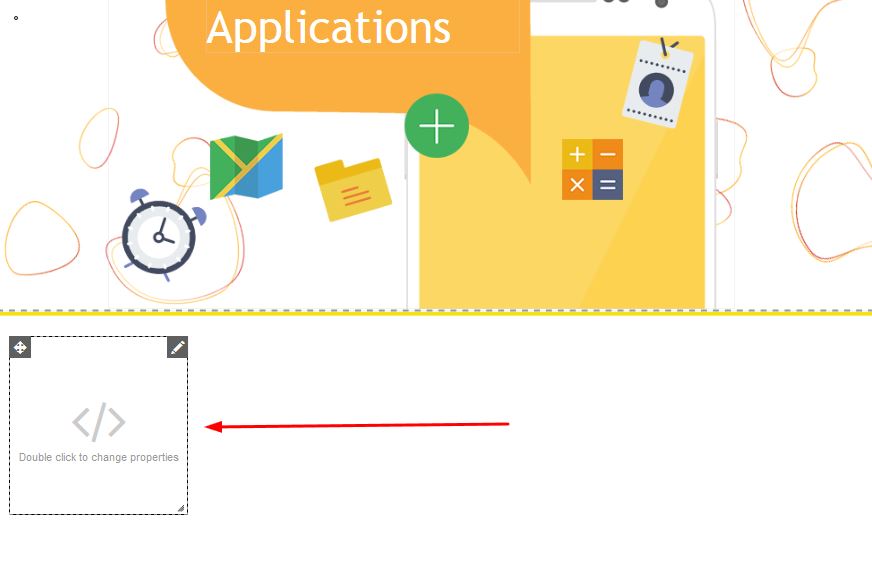
How to add HTML code to your website

STEP 4:

In order to add your code, double click on the box in order to change the properties. Once the properties box appears, you will be able to add the HTML code in the HTML code box:
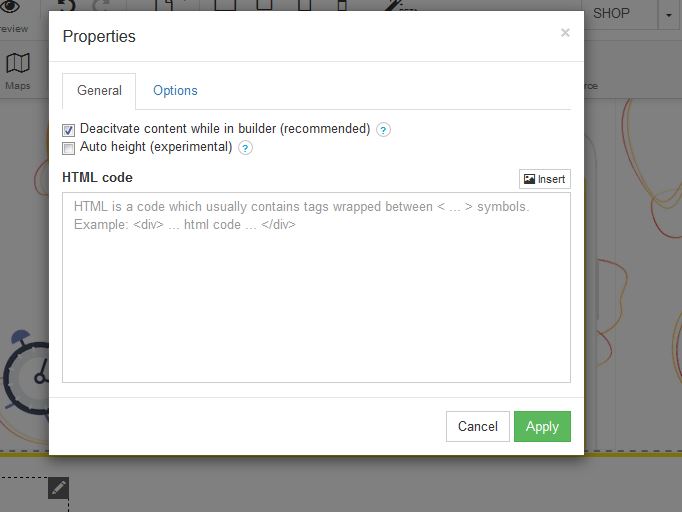

How to add HTML code to your website

  • 2 Users Found This Useful
Was this answer helpful?

Related Articles

Adding a Gallery to your website

ADDING A GALLERY TO YOUR WEBSITEThere are a few options for gallery inserts which you will be...

How to add a contact page

ADD A CONTACT PAGE TO YOUR WEBSITELearn how to add contact page to your website with our step by...

Add Skype to your website

ADD SKYPE In order to add Skype to your website, follow these easy steps:STEP 1:Click on the...

How to cancel your account

How to cancel your account - BUT BEFORE YOU CANCEL - Let us try and assist you with any problems...

How to add a map

How to add a Map: Drag the map box to your desired page on you the website you are building:...