How to add Social Media to your website

ADD SOCIAL MEDIA TO YOUR WEBSITE

In order to add a social media to your website, follow these easy steps:

STEP 1:

In order to add skype to your website, click on the social button:
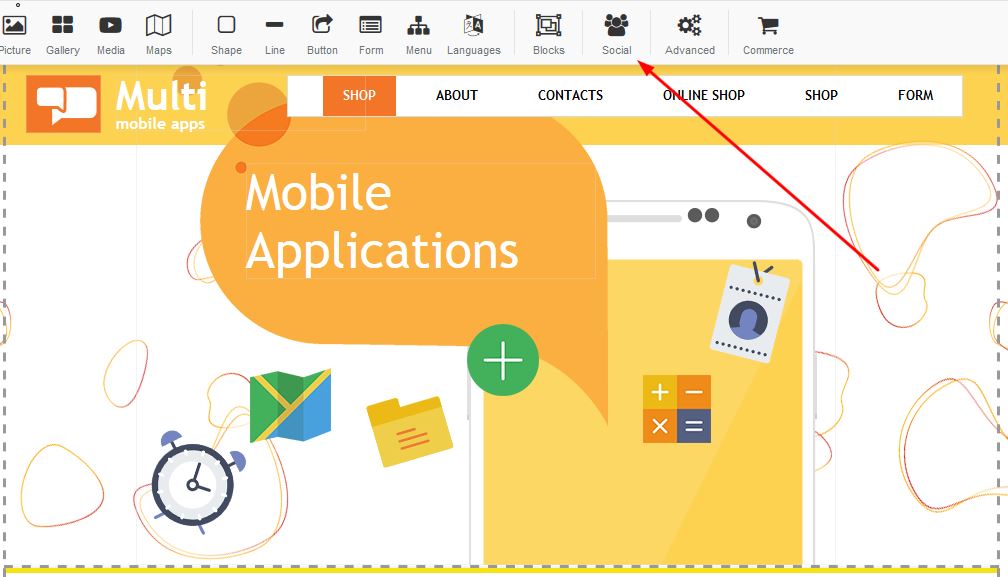

Adding social media to your website

STEP 2:

There are a variety of social media options you are able to add to your website. Select the option of choice and click apply:


Adding social media to your website


  • 2 Users Found This Useful
Was this answer helpful?

Related Articles

How to add a map

How to add a Map: Drag the map box to your desired page on you the website you are building:...

How to add a youtube video

Adding Youtube: Drag the youtube link to your desired page on your builder.In order to add a...

How to cancel your account

How to cancel your account - BUT BEFORE YOU CANCEL - Let us try and assist you with any problems...

How to add a Shopping Cart to your website

ADD A SHOPPING CARTIn order to add a shopping cart to your website, follow these easy steps:STEP...

How to add Tawk.to to your website

ADD TAWK.TO TO YOUR WEBSITEIn order to add Tawk.to to your website, follow these easy steps:STEP...